
News / How to Use the Dashboard
How to Use the Dashboard
- The Dashboard answers one question: "What do I need to do today?" Everything is read-only, no forms to fill out
- Alerts flag unpaid balances, shipments due, hatchlings ready to list, and clutches due soon
- Three quick tables: Due to Eat Today, In the Incubator, and Needs Pairing
- Activity This Month shows feedings, pairings, locks, ovulations, and clutches laid
- Every stat card is clickable. Click any number to jump to the filtered view behind it
The Dashboard is the first screen you see after logging in. It pulls together everything that needs your attention right now: animals to feed, clutches in the incubator, females that need pairing, sales activity, and key stats across your entire program. Nothing on this page requires you to fill out a form. It is a read-only summary designed to answer the question: "What do I need to do today?"
Sections
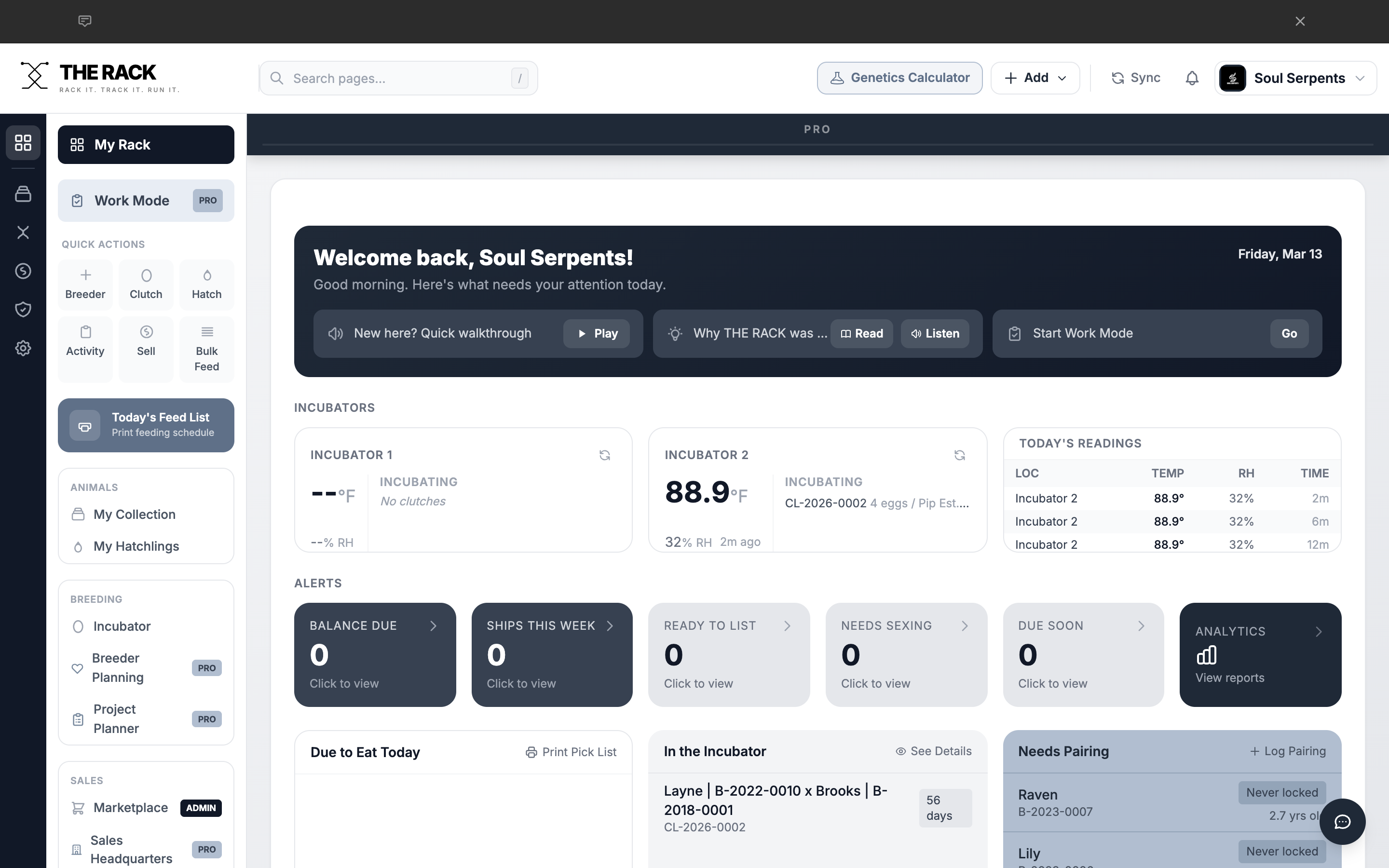
The Dashboard is the first screen you see after logging in.
Welcome Card
At the top of the Dashboard is the Welcome Card. This dark banner shows your business name, a time-based greeting, today's date, and the Start Work Mode button (Pro users only).
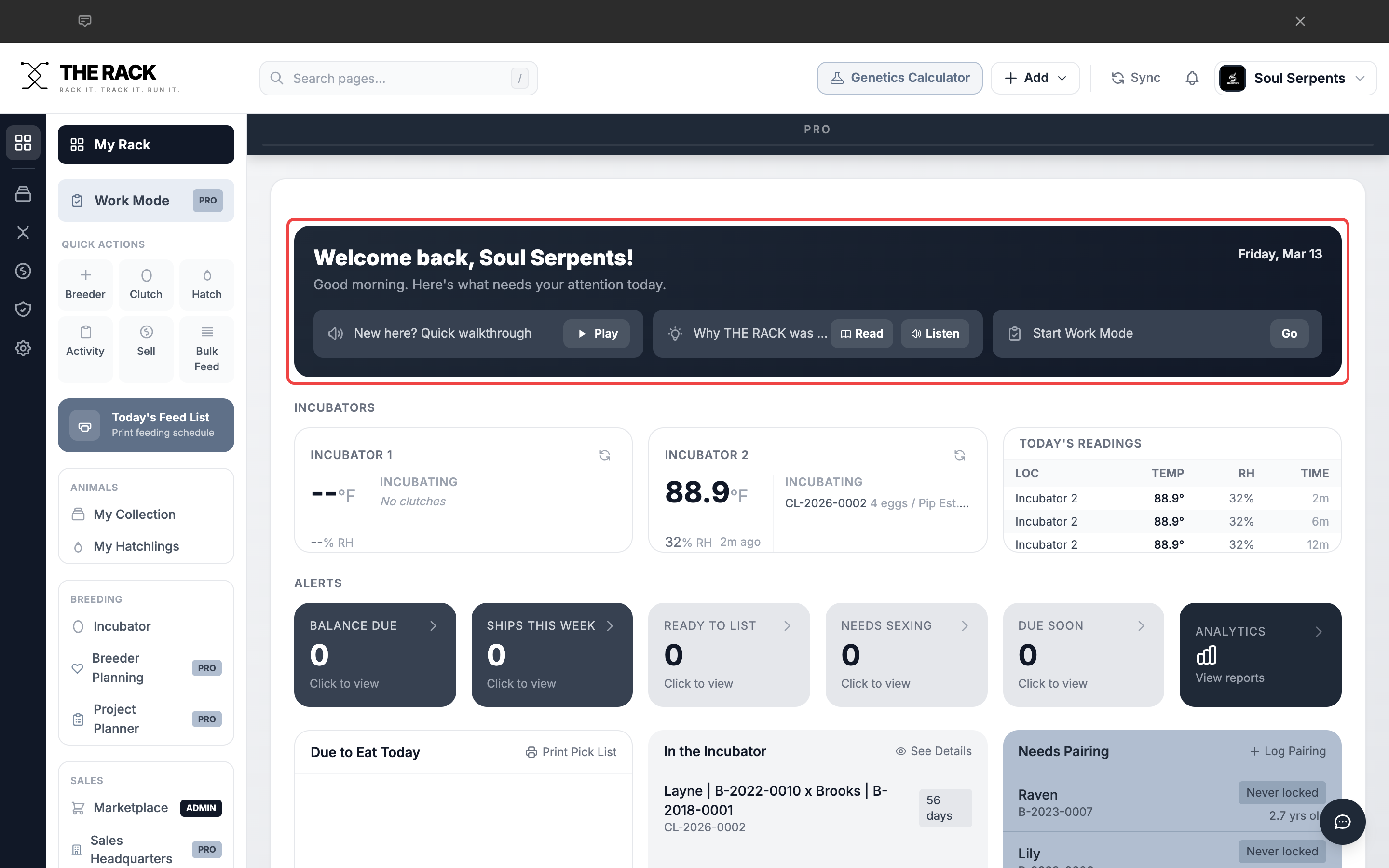
The Welcome Card greets you with your business name, today's date, and quick audio options.
Alerts Section
Directly below the Welcome Card is the Alerts row. These are clickable cards that flag items requiring your attention.
| Alert | What It Shows |
|---|---|
| Balance Due | Animals on hold or sold where the buyer has not paid in full. |
| Ships This Week | Animals with a ship date within the current week. |
| Ready to List | Unlisted hatchlings old enough to be listed for sale. |
| Needs Sexing | Unlisted hatchlings with sex set to "Unknown." |
| Due Soon | Incubating clutches with estimated hatch date within 7 days. |
| Analytics | Quick link to your Analytics page. |
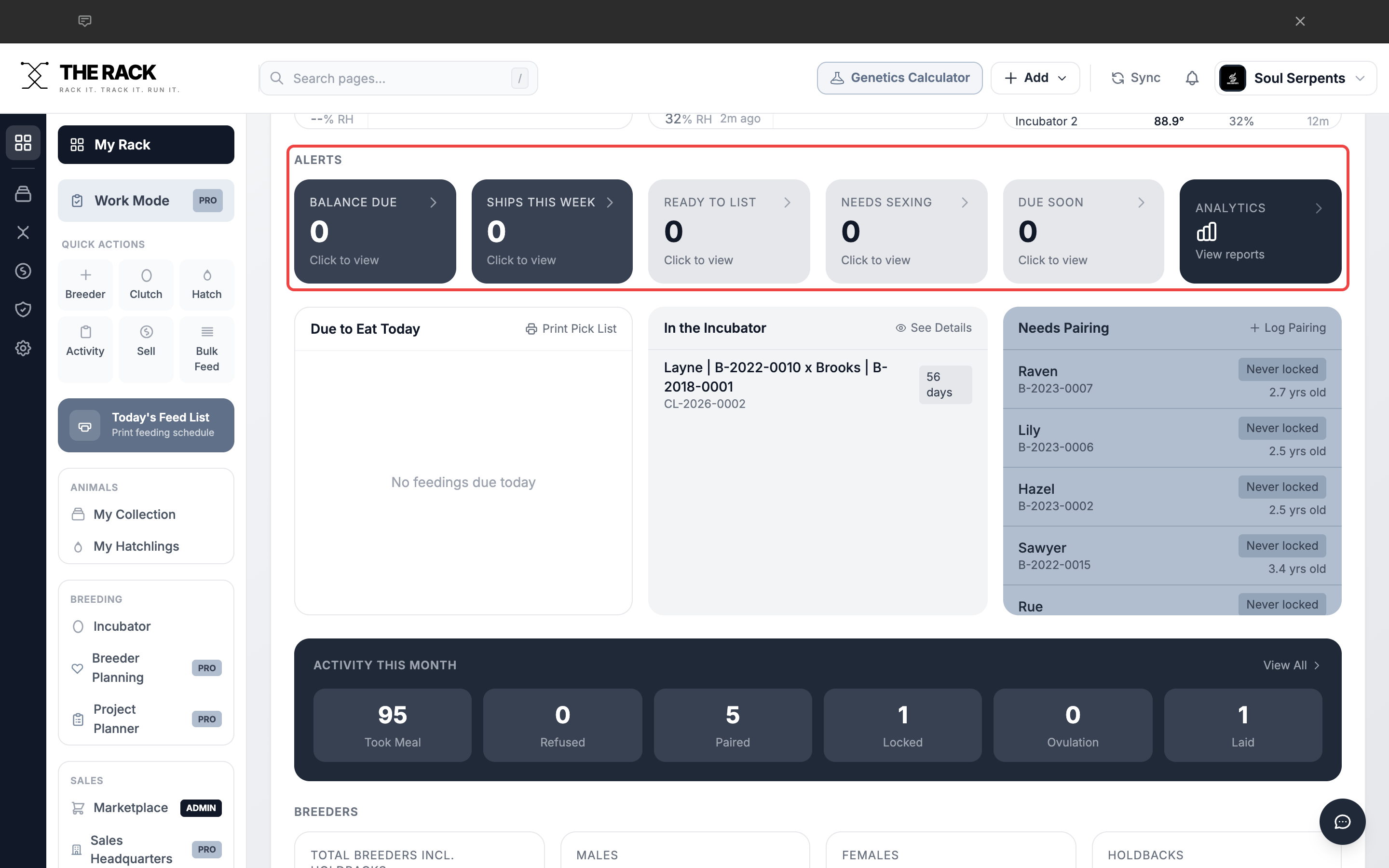
The Alerts section surfaces items that need your attention right now.
Know what needs doing the moment you log in
Feeding. Incubation. Pairing. Sales. One Screen.
THE RACK's Dashboard pulls together feedings due, clutches incubating, females needing pairing, and sales activity. Two minutes to scan. Zero forms to fill out. You always know where your program stands.
See the DashboardDue to Eat Today
The first quick table lists every animal scheduled to eat today based on their feeding interval. Each row shows the animal name, unique ID, and prey size. Click Print Pick List to generate a printable feeding list for the snake room.
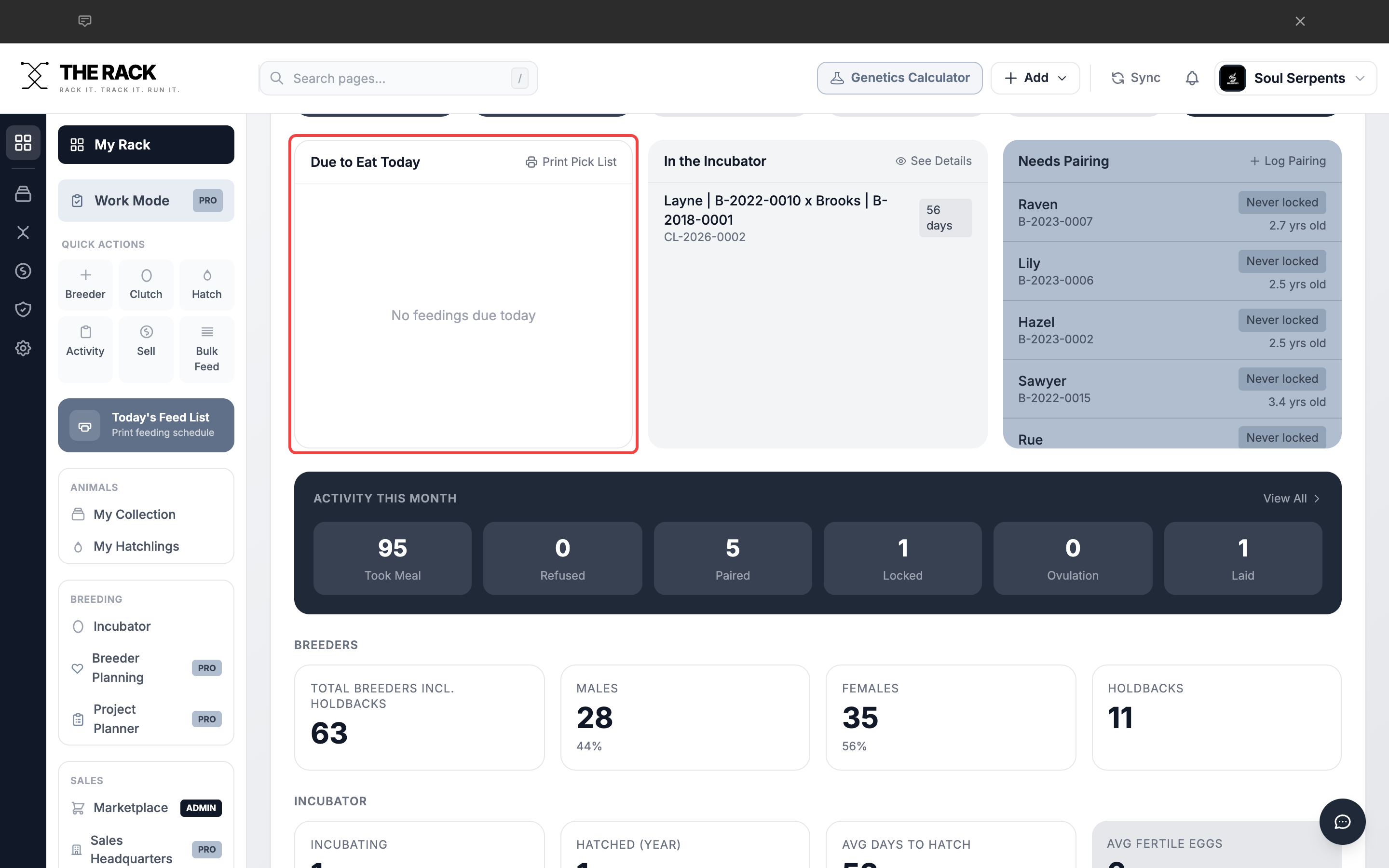
The Due to Eat Today table shows who needs feeding and what size prey to pull.
In the Incubator
The second quick table shows all clutches currently incubating. Each row shows the Dam x Sire pairing, Clutch ID, and days until estimated hatch.
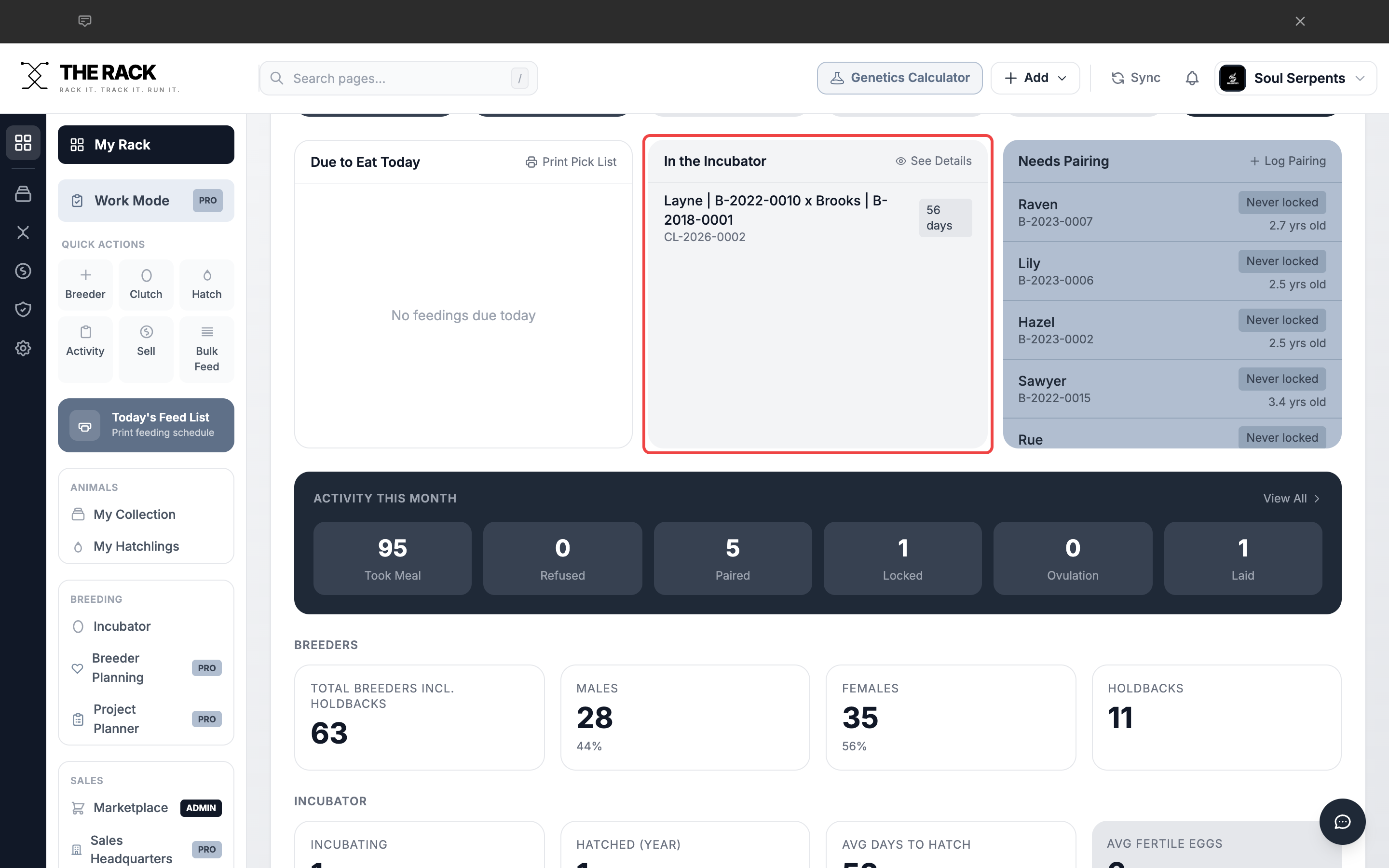
The In the Incubator table shows active clutches and countdown to estimated hatch.
Needs Pairing
The third quick table lists breeding females that are ready for pairing. A female appears here if she is 24+ months old and either has never been locked or her last lock was 21+ days ago with no progression. Click Log Pairing to record a new pairing directly from the table.
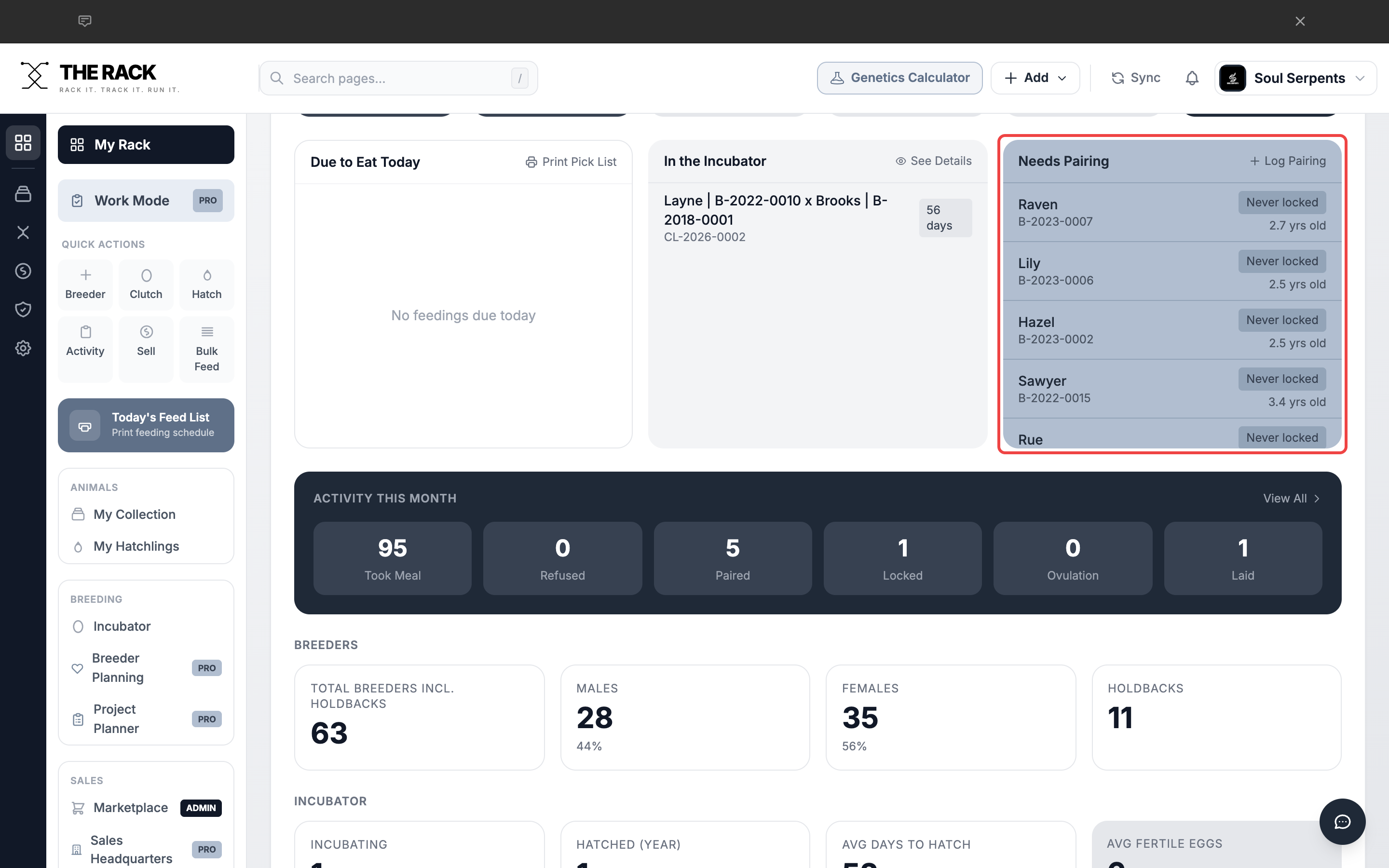
The Needs Pairing table highlights females ready for breeding attempts.
Activity This Month
Six stat cards display counts for Took Meal, Refused, Paired, Locked, Ovulation, and Laid. Click View All to go to the full Activity Log page.
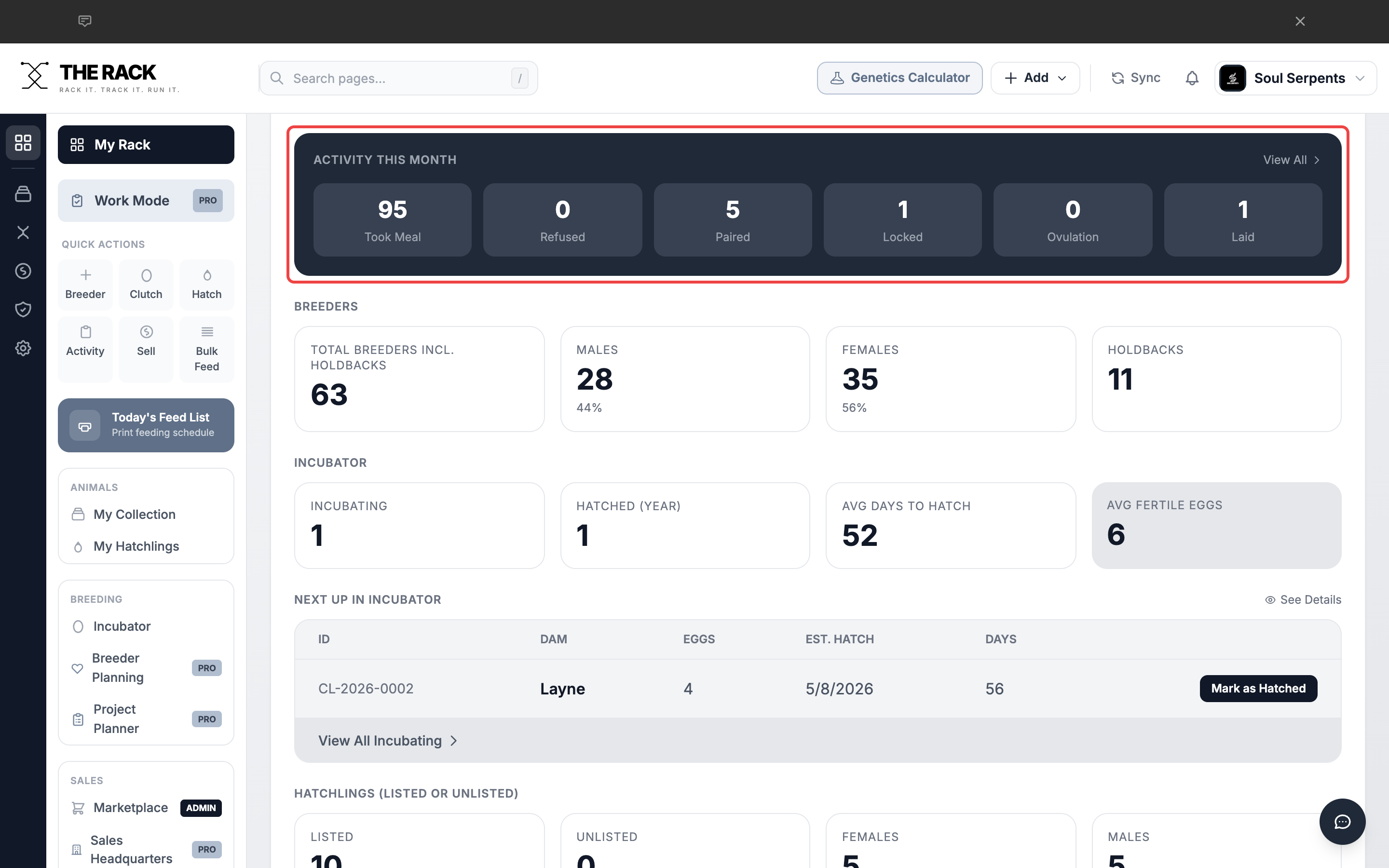
Activity This Month gives you a quick pulse on your program's breeding season activity.
Breeders Stats
Four stat cards: Total Breeders (including Holdbacks), Males, Females, and Holdbacks. Every card is clickable and takes you to the filtered collection view.
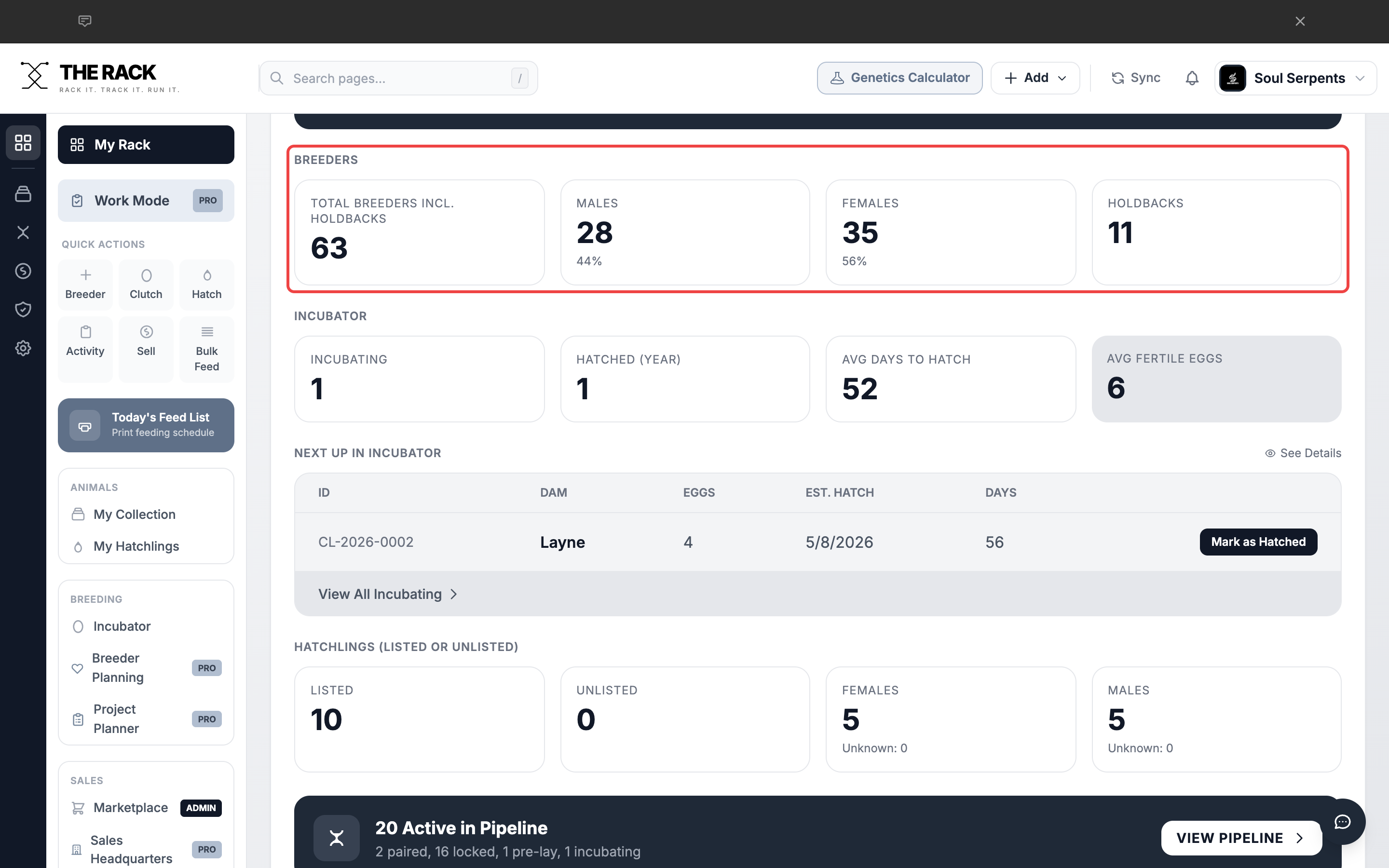
The Breeders section shows your collection breakdown with clickable stat cards.
Incubator Stats
Four stat cards (Incubating, Hatched This Year, Avg Days to Hatch, Avg Fertile Eggs) plus the Next Up in Incubator table with hatch countdown and Mark as Hatched buttons.
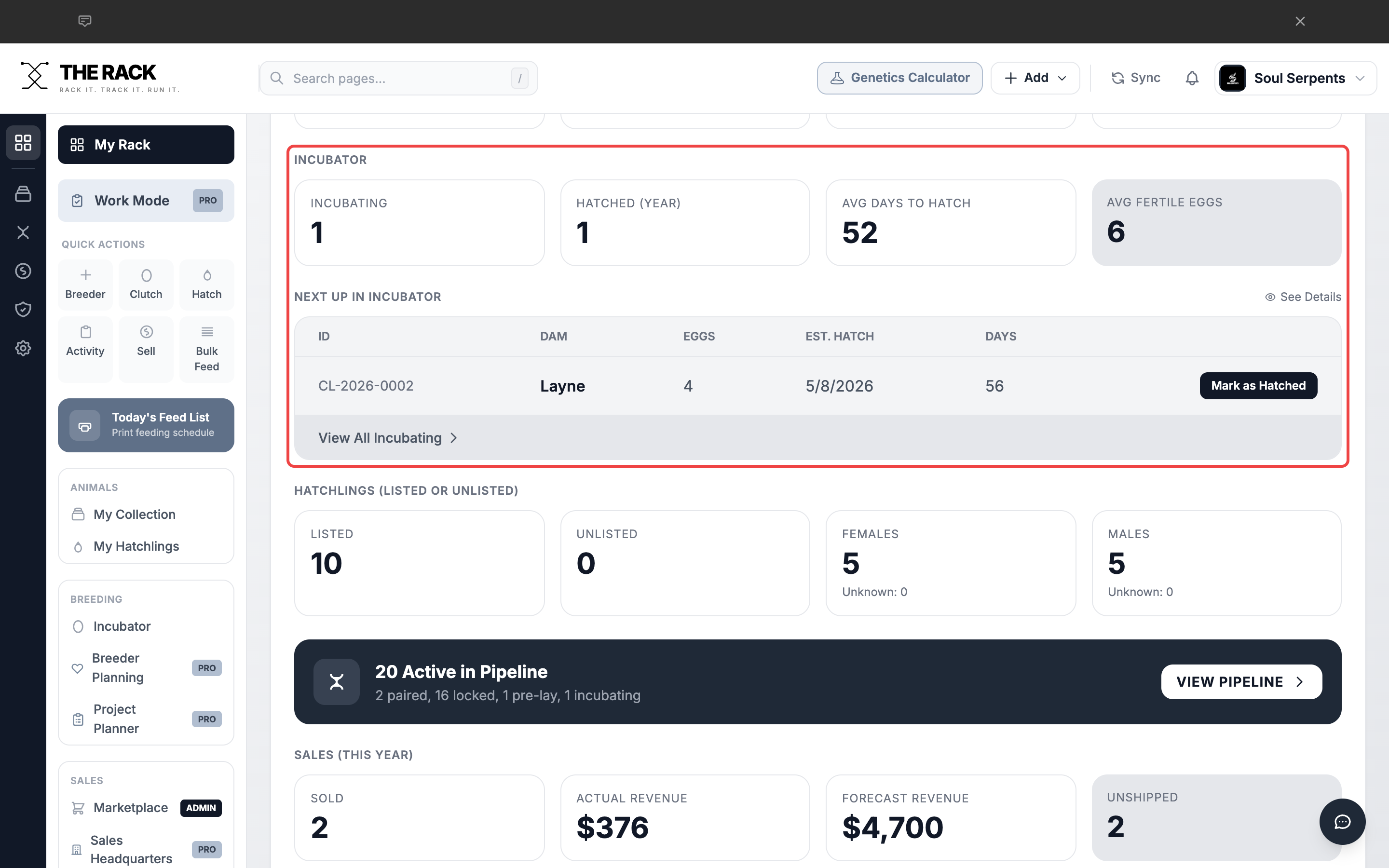
Incubator stats and the detailed Next Up table with hatch countdown and quick actions.
Hatchlings Stats
Four stat cards: Listed, Unlisted, Females, and Males. Click any card to jump to the Hatchlings page with the corresponding filter.
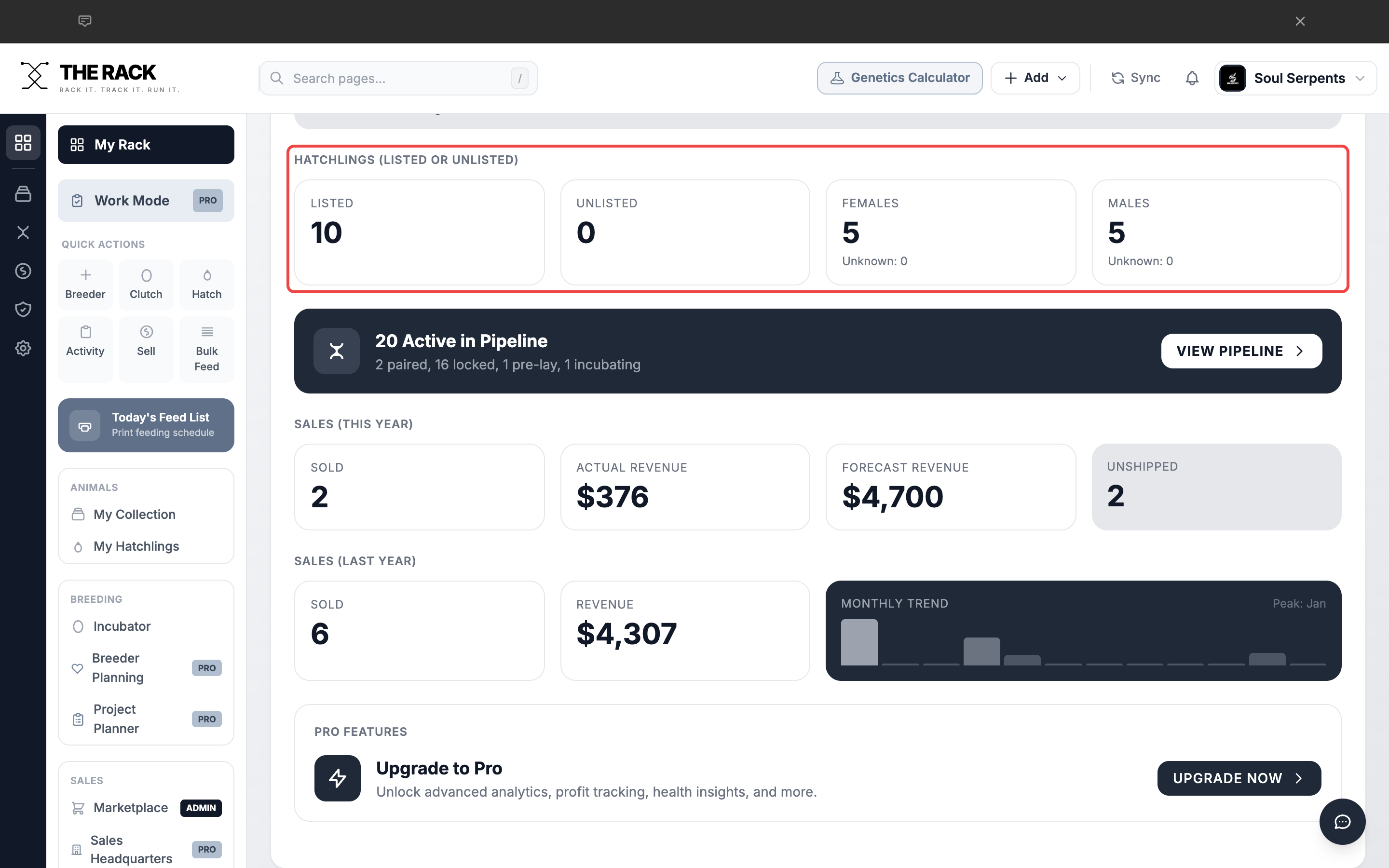
The Hatchlings section shows your current unsold inventory at a glance.
Pipeline Teaser
A dark banner showing how many animals are active in the breeding pipeline across all stages. Click View Pipeline to open the full stage-by-stage view.
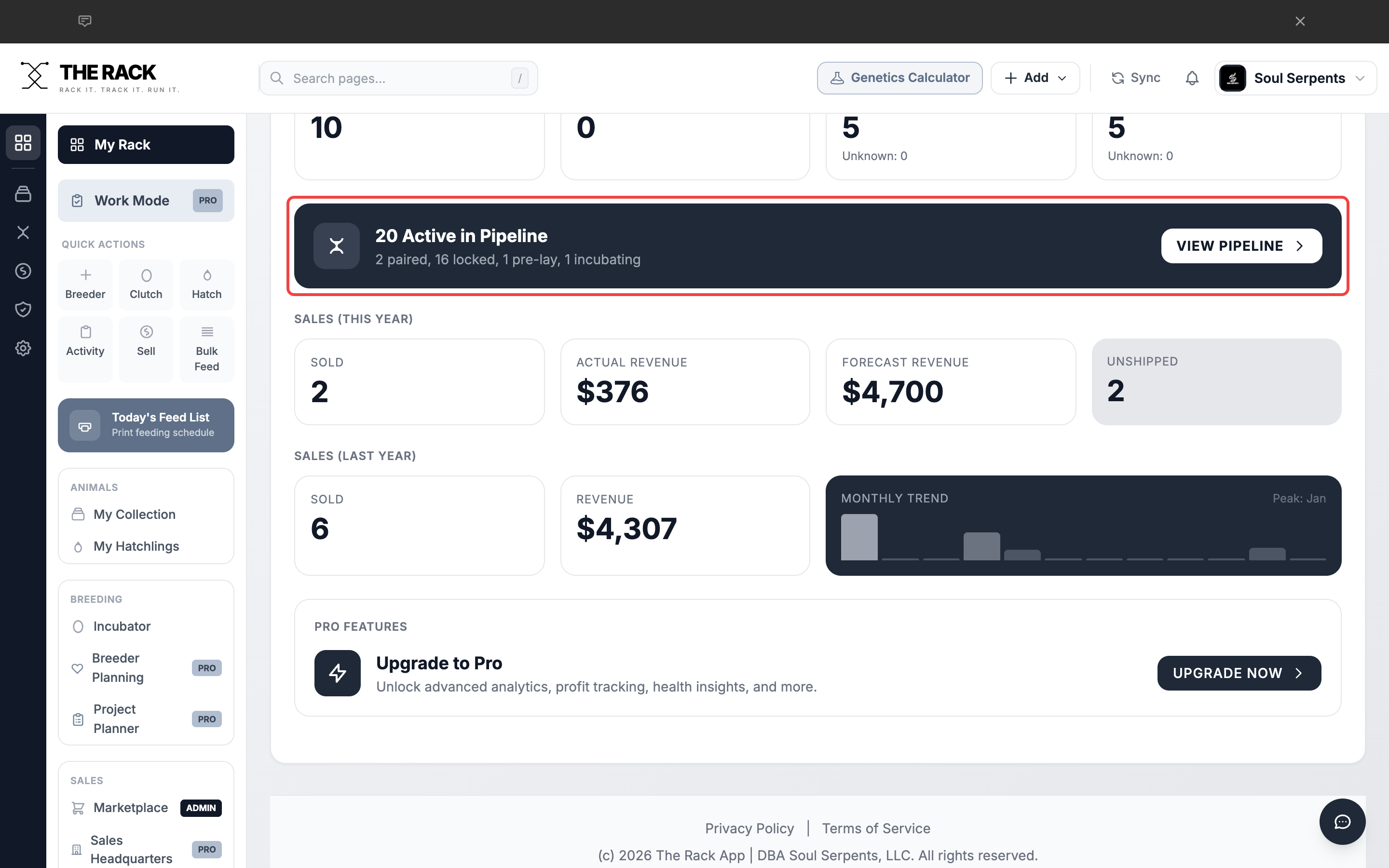
The Pipeline Teaser shows your breeding season at a glance.
Sales Stats
Two rows of sales data: This Year (Sold, Actual Revenue, Forecast Revenue, Unshipped) and Last Year (Sold, Revenue, Monthly Trend chart). Click any stat card to go to Analytics.
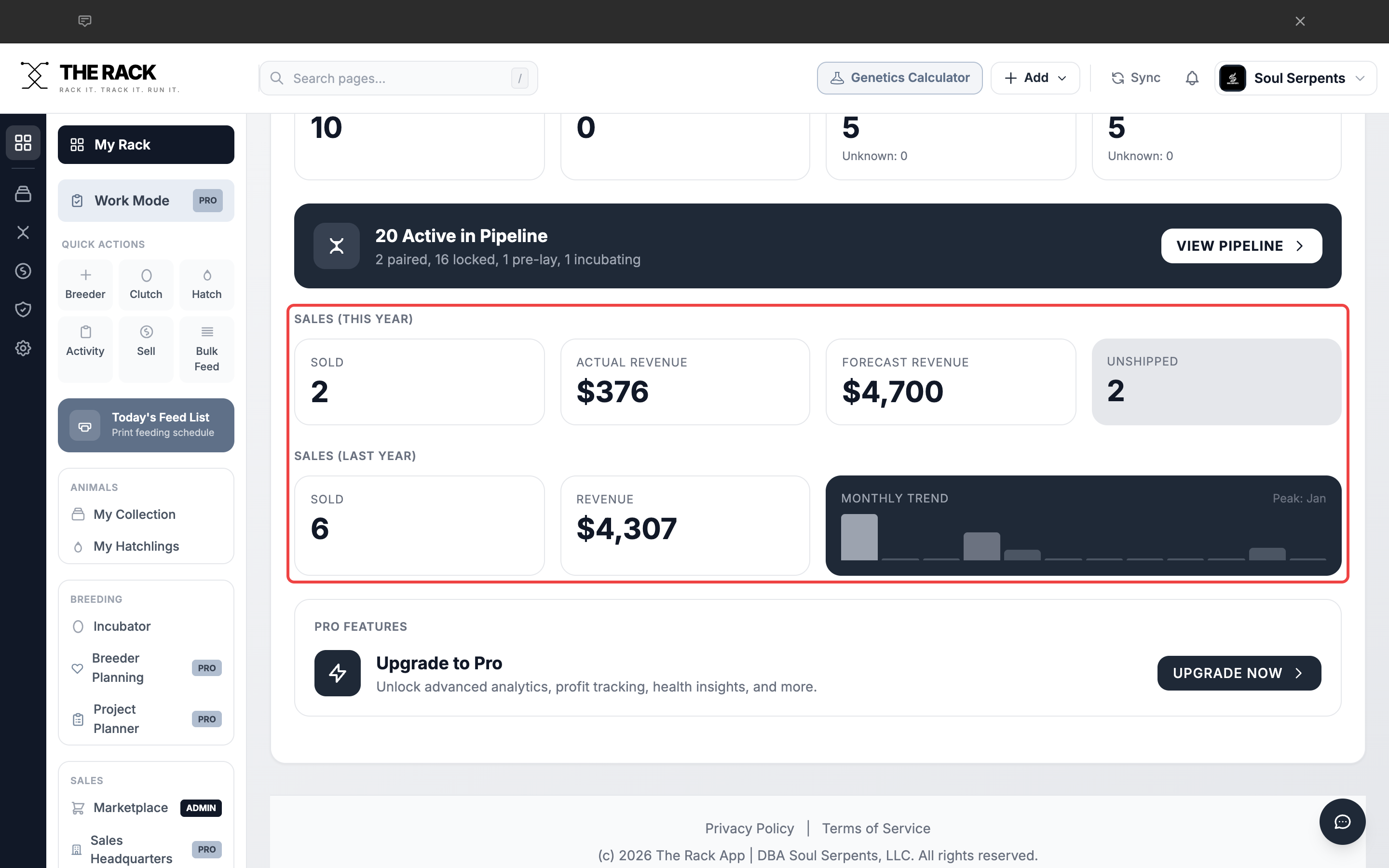
Sales stats show your financial performance with a monthly trend chart.
Morning Routine: Putting It All Together
- Check Alerts. Scan for unpaid balances, shipments due, hatchlings ready to list.
- Review Due to Eat Today. Print the pick list. Head to the snake room and feed.
- Check the Incubator. See if any clutches are close to hatching.
- Review Needs Pairing. Identify females that need breeding attention.
- Glance at Activity This Month. Confirm your numbers look right.
- Check Sales. Review revenue, unshipped orders, and upcoming shipments.
Daily Workflow
Open THE RACK. Spend 2 minutes scanning the Dashboard. You will know exactly what your day looks like.
Screenshots and instructions verified against THE RACK v2.0. Last reviewed April 2026.
Built by a Breeder
Your Entire Program,
One Morning Scan
Feedings. Incubation. Pairings. Sales. Alerts. THE RACK's Dashboard is your command center. Two minutes and you know everything.
See THE RACKFree for up to 5 animals. Keeper $10/mo. Breeder $20/mo. 7-day money-back guarantee.